Google Play has hundreds of expense tracking apps, and many look so alike that it's hard to know which one to pick. Some are free but packed with ads, others ask for permissions they don't need, and others only work well if you connect your bank. On Android, the sheer variety of phones also means an app that runs smoothly on a flagship can lag on a mid-range device.
This selection covers the best personal finance apps for Android in 2026, using clear criteria: real day-to-day usefulness, reasonable permissions, privacy, an honest pricing model and good performance on any phone. At the end you'll find a table to compare them at a glance.
What makes a good finance app for Android
Android gives apps more freedom than iOS, which has an upside and a side worth keeping an eye on. Before installing anything, check these points:
- Reasonable permissions: a finance app doesn't need your location, your contacts or your text messages to log an expense. Since 2019, Google Play has limited SMS access to very few types of apps, so if one asks for it, be suspicious.
- The "Data safety" section: every app's Google Play listing shows what data it collects, whether it shares it with third parties and whether you can ask for it to be deleted. Read it before downloading.
- Widgets: a home screen widget lets you log an expense in seconds without opening the app, which is exactly what keeps the habit going. It's the idea behind two-click expense tracking.
- Mid-range performance: most Android users don't own a $1,000 phone. A good app opens fast and doesn't drain the battery in the background.
- Backups: if you switch phones, your data should come with you, either through a cloud account or a simple export.
The best personal finance apps for Android in 2026
Be Budget Today
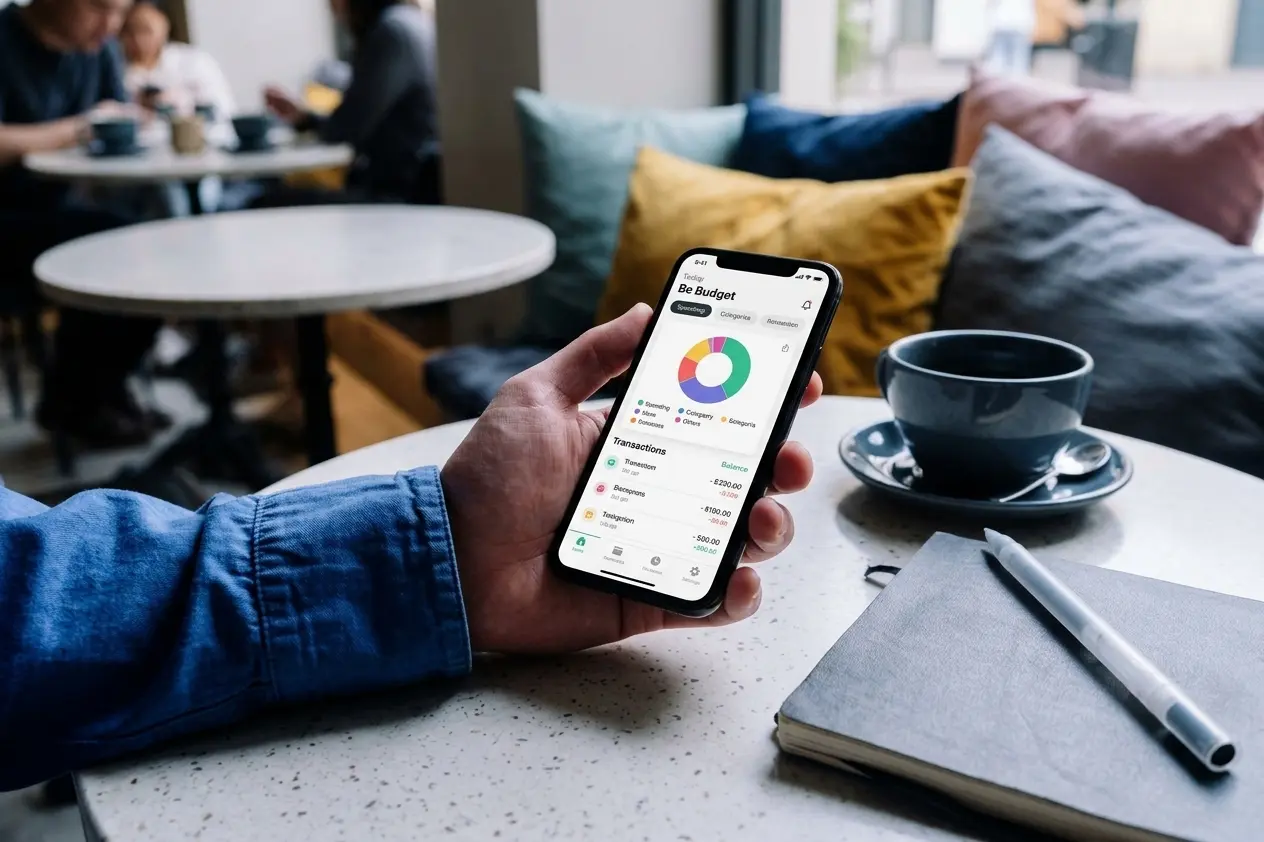
Be Budget Today is an income and expense tracker designed for personal use and available natively on Android. You log your income and expenses in custom categories, each with its own color and icon, and every month you get a clear summary of your balance, plus yearly statistics with your best and worst months.
The free version covers the essentials and has no ads. Premium adds unlimited categories, recurring transactions for fixed costs like rent or subscriptions, savings goals with visual progress and an advanced category breakdown. It doesn't ask for access to your bank accounts or any unnecessary permissions: you decide what you log and when.
Available on Google Play.
Money Manager (Realbyte)
Money Manager is one of the longest-running and most popular manual tracking apps on Android. It lets you manage several accounts at once (cash, card, savings), uses double-entry bookkeeping without you needing to understand it and produces very complete category reports. The free version includes ads; Premium, which Realbyte describes as a one-time purchase rather than a subscription, removes them and adds more features.
Wallet by BudgetBakers
Wallet combines manual entry with bank syncing and connects to thousands of banks worldwide. It's useful if you spend in several currencies or want to see all your accounts together. The free version is limited: bank syncing, advanced budgets and the best reports require a paid monthly or yearly subscription.
Monefy
Monefy is all about speed: one screen with a ring of categories and two buttons, one for expenses and one for income. It's one of the simplest apps for anyone who has never tracked their money before. The free version shows ads and is limited to one account and one currency; Monefy Pro, a one-time purchase, removes the ads and adds multiple accounts, currencies and cloud sync.
Rocket Money
Rocket Money is one of the most popular apps in the US for seeing all your accounts in one place and, above all, for finding forgotten subscriptions. The free version already links your bank accounts and tracks recurring charges. Premium, on a pay-what-you-want model of roughly $7 to $14 a month, adds unlimited budgets and help canceling subscriptions. Its bill negotiation service is separate and charges a percentage of what it saves you.
YNAB (You Need A Budget)
YNAB is the most complete tool for anyone who wants a strict budgeting system. It's built on zero-based budgeting: every dollar that comes in gets a job before you spend it. It offers a 34-day free trial, then costs $14.99 a month or $109 a year, so it suits people who already know they want that level of control.
1Money
1Money is a manual tracking app with a polished design and one of the best ratings in its category on Google Play. It supports multiple accounts and currencies and budgets by category. It's free with ads; Premium removes them, adds Excel export and unlocks more budgets.
Quick comparison of finance apps for Android
| App | Free version and ads | Bank sync |
|---|---|---|
| Be Budget Today | Free version with no ads | No, manual entry |
| Money Manager | Free with ads | No, manual entry |
| Wallet | Limited free version | Yes, on the paid plan |
| Monefy | Free with ads | No, manual entry |
| Rocket Money | Free with limits | Yes, also on the free plan |
| YNAB | 34-day trial only | Yes |
| 1Money | Free with ads | No, manual entry |
If ads really bother you, the article on the best budget apps with no ads has more alternatives. And if you also use an iPhone or iPad, check out the best personal finance apps for iPhone: several of these apps are on both platforms.
Bank sync or manual entry?
Connecting your bank saves time, because transactions show up on their own. In exchange, you authorize an outside company to read your payment history, and automatic categorization gets things wrong more often than you'd think, especially with purchases at stores that sell a bit of everything.
If privacy is a priority for you, manual tracking apps like Be Budget Today, Money Manager or Monefy are the best choice. Logging each expense takes a little effort, but it has an advantage syncing can't match: it forces you to be aware of what you spend in the moment. You can dig deeper in the article on personal finance apps without bank sync.
Conclusion
Android has finance apps for every kind of user. If you want a simple, private, ad-free app to track your personal finances, Be Budget Today is a good starting point. If you want lots of accounts and detailed reports and don't mind ads, Money Manager is the most complete manual option. To see all your bank accounts in one place, go for Rocket Money or Wallet; for strict budgeting, YNAB.
Before installing any of them, check their permissions and the data safety section on Google Play. The best finance app isn't the one with the most features, but the one you actually open every day.