The iPhone brings together one of the strongest selections of personal finance apps on the market. Apple's closed ecosystem, with its high quality standards and a user base willing to pay for well-built applications, has produced a wide and competitive catalogue. The challenge is not finding an app, but knowing which one actually deserves space on your home screen.
This selection covers the best personal finance apps for iPhone in 2026, rated on clear criteria: real day-to-day usefulness, data privacy, honest business model, and polished user experience. All are available on the App Store and work on iOS.
What makes a good finance app for iPhone
Not all finance apps are equal, and not all that work well on Android have been adapted just as well for iOS. Before choosing, a few aspects specific to the Apple ecosystem are worth considering:
- iOS integration: the best apps make use of native system features such as home screen widgets, Siri shortcuts, or smart notifications.
- iCloud sync: if you use more than one Apple device, seamless sync between iPhone and iPad is a genuine advantage.
- iOS-native design: a well-ported app follows Apple's navigation conventions and does not feel like an Android port.
- Privacy: Apple requires developers to declare their privacy practices on the App Store. Check the «App Privacy» section before downloading.
The best personal finance apps for iPhone in 2026
Be Budget Today
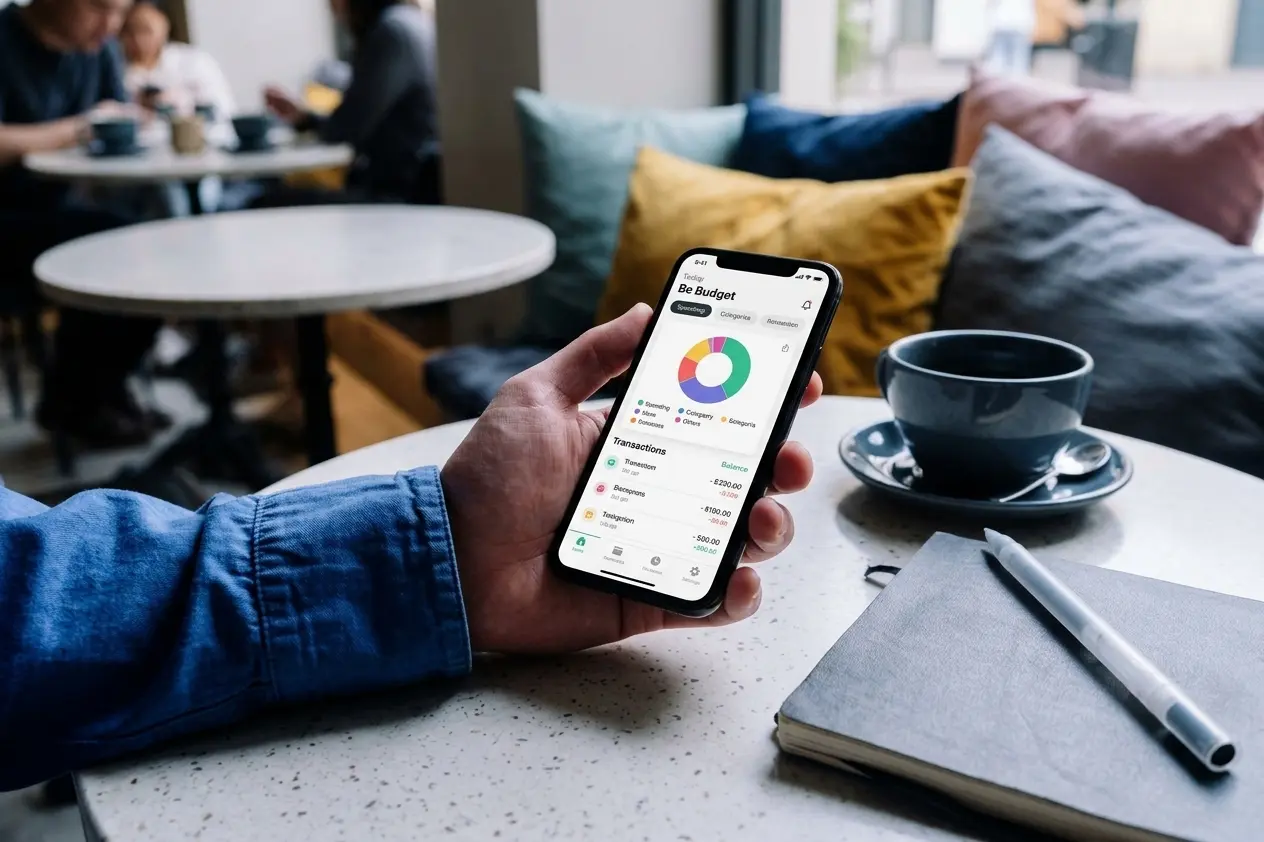
Be Budget Today is an income and expense tracking app built for personal use, available natively on iOS. It lets you log income and expenses by category, view clear monthly statistics, and set savings goals with visual progress tracking.
The free tier covers the essentials with no ads. The premium version adds recurring transactions and advanced savings goals. Data is stored on its own servers with no bank account connection required, making it one of the more privacy-focused options available.
Available on the App Store.
YNAB (You Need A Budget)
YNAB is the reference for anyone who wants a structured budgeting system. It works on the zero-based budgeting method: every pound or dollar that comes in is assigned to a category before it is spent. The iPhone app is polished, with useful widgets and real-time sync across devices.
A subscription is required after the trial period, but for users who want thorough financial control, many consider it a worthwhile investment.
Copilot Money
Copilot is one of the highest-rated finance apps exclusively on iOS. It stands out for exceptional design and the quality of its charts and visualisations. It syncs with bank accounts and cards, categorises spending automatically, and generates detailed monthly reports. It is paid from day one with no permanent free tier, but delivers one of the most refined user experiences available on the platform.
Money Manager
Money Manager is a solid choice for those who prefer manual tracking without bank sync. The iPhone version has a clean interface, lets you manage multiple accounts independently (cash, card, savings), and produces clear category reports. The basic version is free and ad-free.
Wallet by BudgetBakers
Wallet offers a functional free tier and a wide range of features in the premium version. It supports both manual tracking and bank sync depending on the user's preference, handles multiple currencies well, and is regularly updated. A good middle-ground option with a solid free version.
With or without bank sync?
Most iPhone finance apps offer some form of automatic bank account sync. It is a convenient feature, but it means authorising a third party to access your transaction data.
If privacy is a priority, manual tracking apps like Be Budget Today or Money Manager are the better choice. Manual entry requires more discipline, but it has one advantage automatic sync cannot match: the simple act of logging each expense builds spending awareness that automatic categorisation does not. You can read more about this in the article on personal finance apps without bank sync.
Conclusion
The iOS ecosystem offers some of the best personal finance apps available anywhere. The right choice depends on your profile: if you want full privacy and straightforward manual tracking, Be Budget Today or Money Manager are solid starting points. If you want a structured budgeting system with automation, YNAB or Copilot are the references. If you want something in between with a good free tier, Wallet by BudgetBakers covers that space well.
The best finance app for iPhone is not the most complete or the most expensive. It is the one you open every day.