Many personal finance apps ask you to connect your bank account so your transactions show up on their own. It's convenient, but not everyone is comfortable handing over access to their payment history, and some people prefer to decide what they log and when.
In this guide you'll see how bank syncing really works, which risks are real and which aren't, how long manual tracking actually takes and which budget apps work without connecting to your bank.
How bank syncing works today
In the US, most finance apps don't connect to your bank directly. They use data aggregators such as Plaid, MX or Finicity, which sit between the app and thousands of banks. For years, many of these connections worked by having you type your online banking username and password into the app, a practice known as screen scraping. That is changing:
- Bank login pages: more and more banks now send you to their own website or app to approve the connection, so the finance app never sees your password.
- Read-only access: the connection is used to see balances and transactions, not to move money.
- Revocable permission: you can usually see and cut off connected apps from your bank's security settings or from the aggregator's privacy portal.
- New rules in progress: in 2024 the Consumer Financial Protection Bureau finalized an open banking rule meant to phase out password sharing, although its rollout has been delayed and reconsidered.
In other words, bank syncing is safer than it used to be. The question is less whether it's dangerous and more whether you want one more company to keep a copy of your financial history.
The real risks of connecting your bank
Without alarmism, these are the downsides worth keeping in mind before you connect your accounts to an app:
- One more copy of your data: your transactions are stored on the app's servers and often on the aggregator's too. Every copy is one more thing to protect.
- The business model: some free apps with bank sync make money by recommending loans, credit cards or insurance based on your spending. It's worth reading what they use your data for.
- Categorization errors: a purchase at a big-box store could be groceries, clothes or electronics. The app guesses, and you often end up reviewing and fixing it anyway.
- Broken connections: connections drop when your bank changes its systems or you change your password, leaving gaps in your history.
What bank syncing does well
Syncing also has real advantages, and for some people it's worth it:
- Zero logging effort: if you have many accounts or make lots of small purchases, seeing everything in one place without typing anything saves time.
- Nothing slips through: fees, automatic payments or charges you'd forget to log show up on their own.
- The big picture: useful if you want to see accounts from several banks, cards and loans in one place.
If those advantages matter more to you than privacy, an app with bank sync may be a good fit. If you'd rather control what data you share, manual tracking is the alternative.
Manual tracking: the pros and how long it takes
Logging expenses by hand sounds like more work than it really is. With 5 expenses a day and about 10 seconds each, it's under a minute a day, around 25 minutes a month. If you also set your fixed costs as recurring, it drops even further.
- Spending awareness: the small effort of logging each purchase makes you notice what you spend. It's the opposite of automatic payments, which barely hurt, as the article on the pain of paying explains.
- Privacy: the app has no access to your bank. It only knows what you choose to log.
- Categories that fit you: you decide whether a purchase is food, fun or a gift, without relying on an algorithm.
- No broken connections: no permissions to renew and no bank system changes to worry about.
To keep the habit going, the most effective thing is to log the expense the moment you pay. That's the idea behind two-click expense tracking.
| Criteria | With bank sync | Manual tracking |
|---|---|---|
| Daily effort | Almost none | Under a minute |
| Access to your accounts | Yes, read-only | No |
| Category accuracy | Automatic, with frequent errors | Whatever you decide |
| Spending awareness | Low: expenses appear on their own | High: you log every purchase |
| Missed expenses | Almost none | The ones you forget to log |
| Maintenance | Reconnect when the link breaks | None |
Finance apps that don't connect to your bank
These apps work with manual entry. If ads bother you too, check out the best budget apps with no ads.
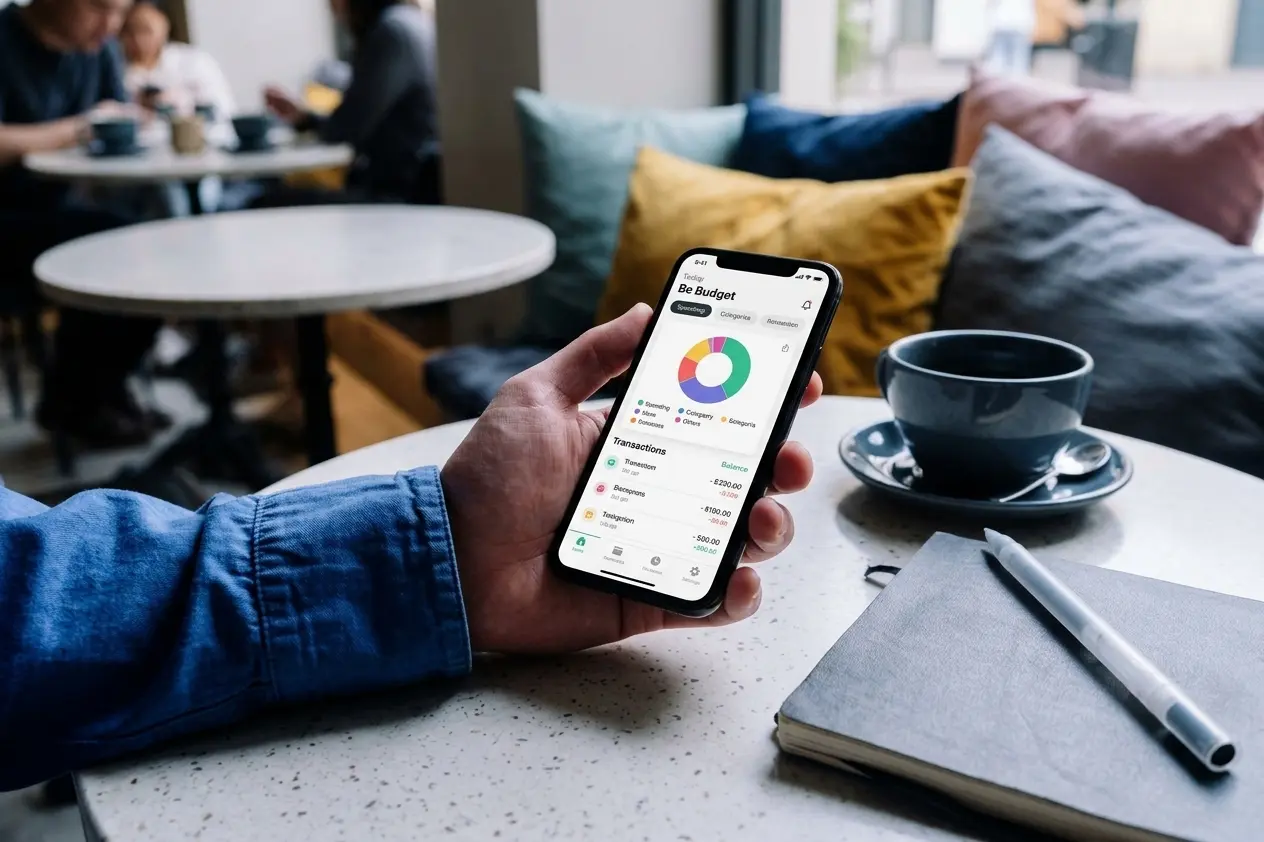
- Be Budget Today: a manual tracking app that doesn't ask for access to your bank and shows no ads. Your data is saved to your app account so you don't lose it when you switch phones, but it only contains what you log. You can create categories with their own color and icon, see each month's balance and get yearly statistics. Premium adds recurring transactions, unlimited categories and savings goals. Available on the App Store and Google Play.
- Money Manager: one of the most complete manual tracking apps, with several accounts at once and detailed reports. The free version includes ads.
- Monefy: very quick to use, with one screen of categories and two buttons. The free version shows ads and is limited to one account.
- 1Money: manual tracking with a polished design and budgets by category. Free with ads.
Some apps, like Wallet by BudgetBakers, offer both: manual entry and optional bank sync on the paid plan. You can find more options for your phone in the best personal finance apps for iPhone and the best personal finance apps for Android, or in the general comparison of expense tracker apps.
Before installing any finance app: check its store listing to see what data it collects and whether it shares it with third parties, make sure you can export or delete your information, and prefer connections that send you to your bank's own login page. Be wary of any app that asks you to type your online banking password directly into it.
Conclusion
Bank syncing today is safer than it used to be, but it means one more company keeps your financial history, and its automatic categories aren't always right. Manual tracking takes less than a minute a day and, in return, gives you privacy and a more conscious relationship with your money.
There's no single right choice for everyone. If you want maximum convenience, an app with bank sync may suit you. If you'd rather decide what you share and know what you're spending as it happens, a manual tracking app like the ones on this list is the way to go. To learn how to make the habit stick, the article on how to track personal expenses effectively will help you keep it up.